
V1.1
Maintenance Pareto Analysis
Find the few failure modes causing most of the downtime
When many failure modes are recorded, it is hard to tell by eye which ones actually deserve attention first.
One-time purchase, no subscription. Works in Microsoft Excel or compatible spreadsheet software. Includes an example file, a PDF guide and a single-user license, with support by email.
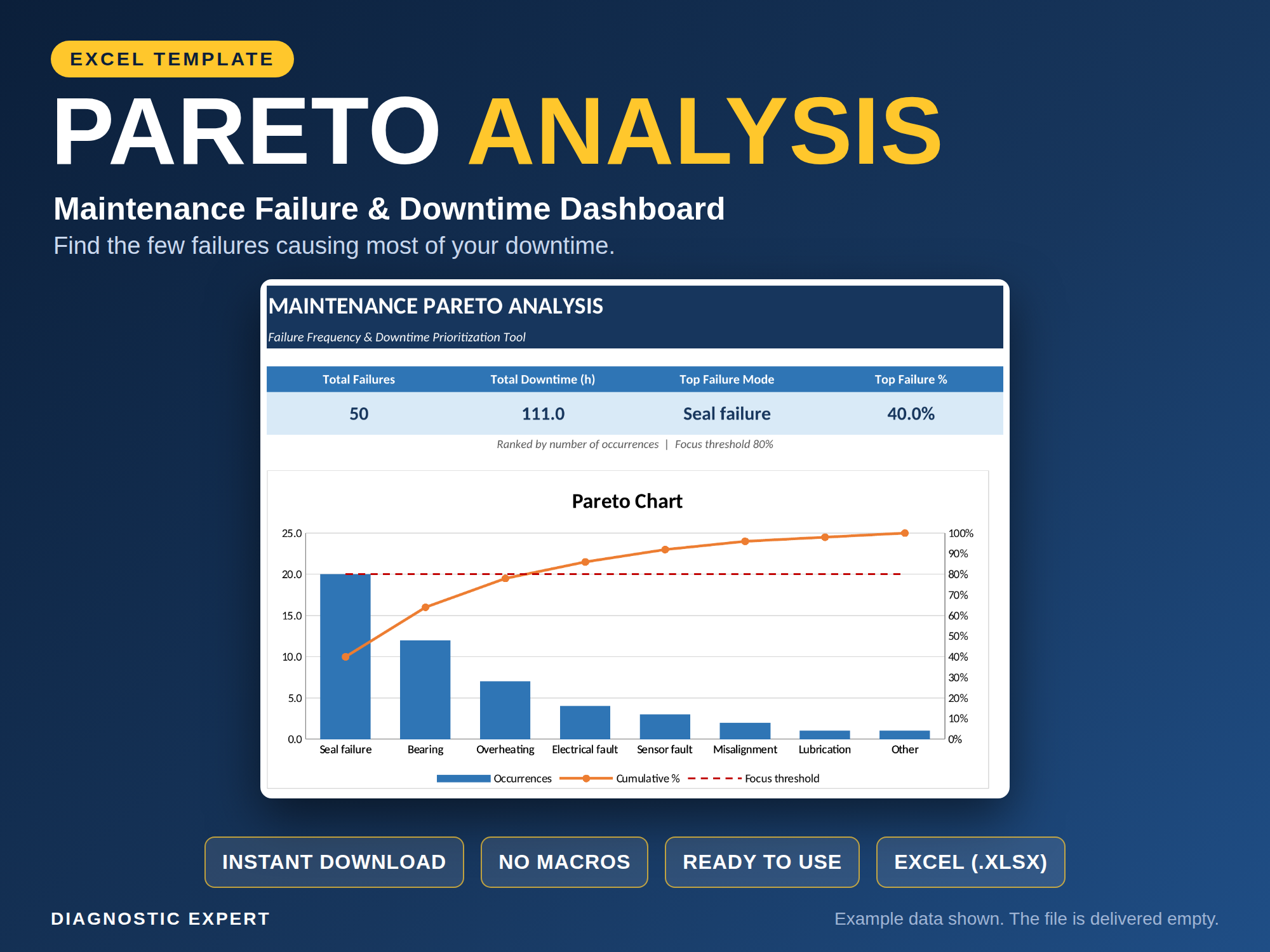
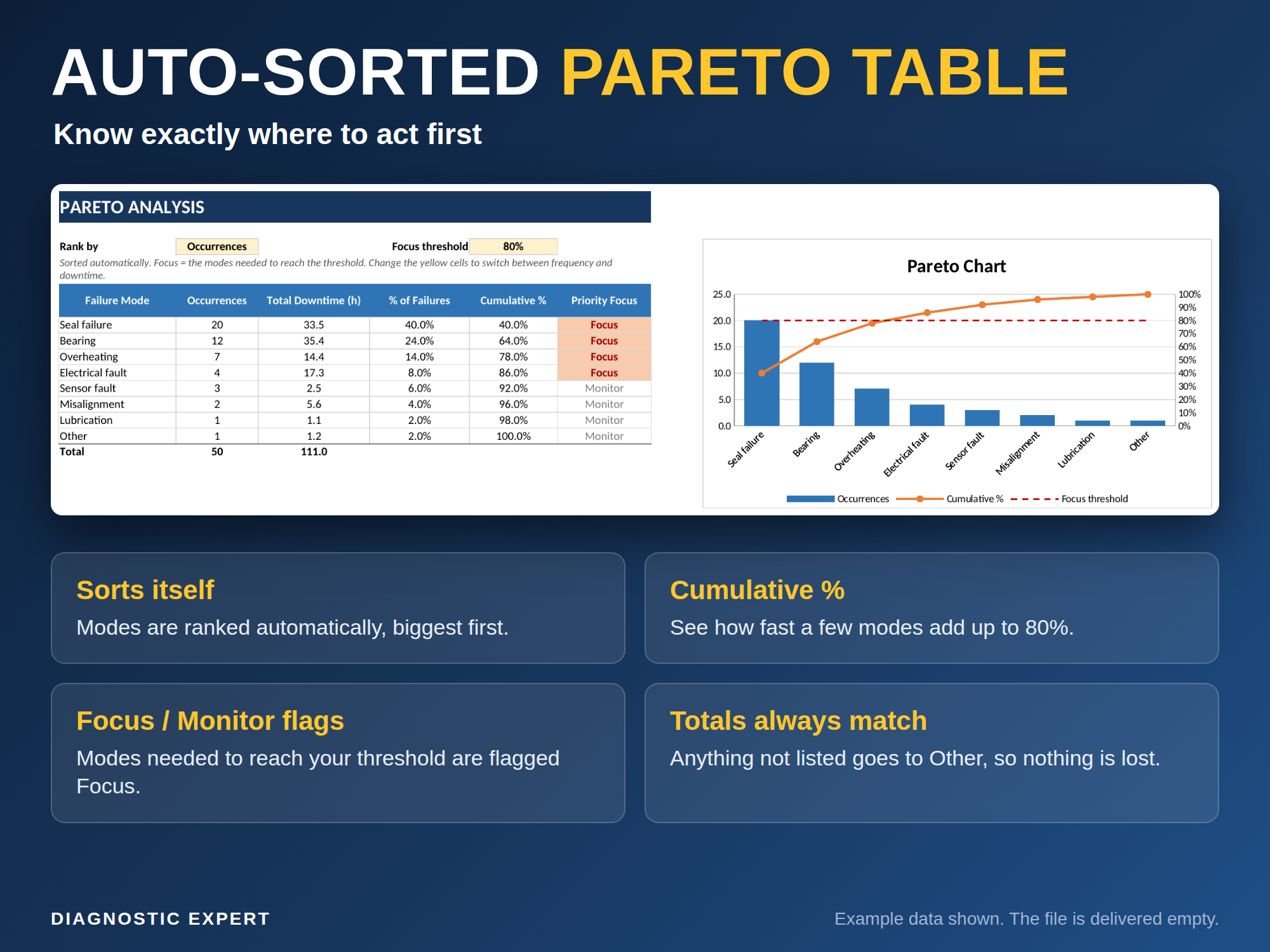
The Maintenance Pareto Analysis workbook takes a failure log and ranks failure modes with a self-sorting Pareto table, so a maintenance team can see which few causes are responsible for most of the downtime.
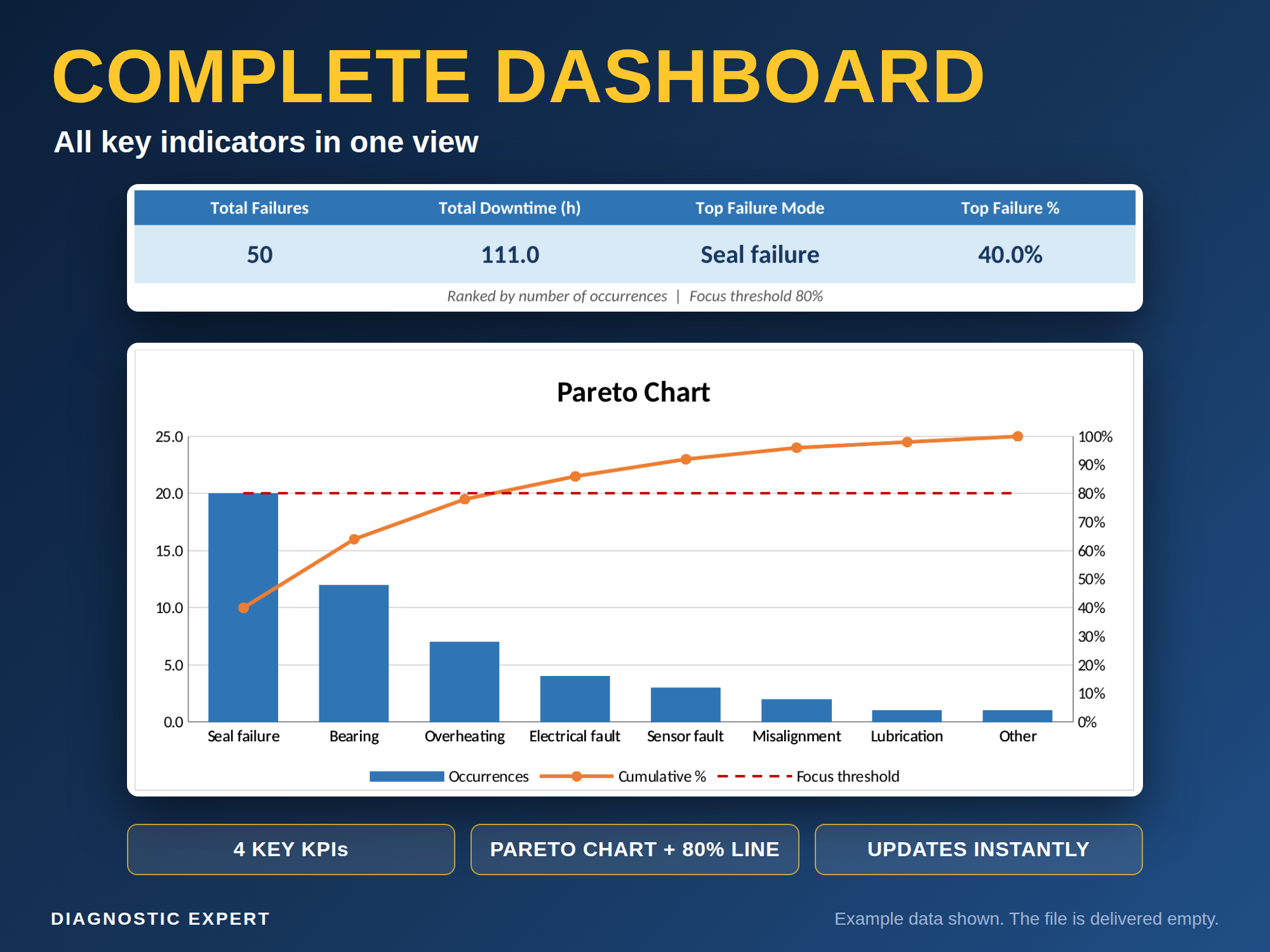
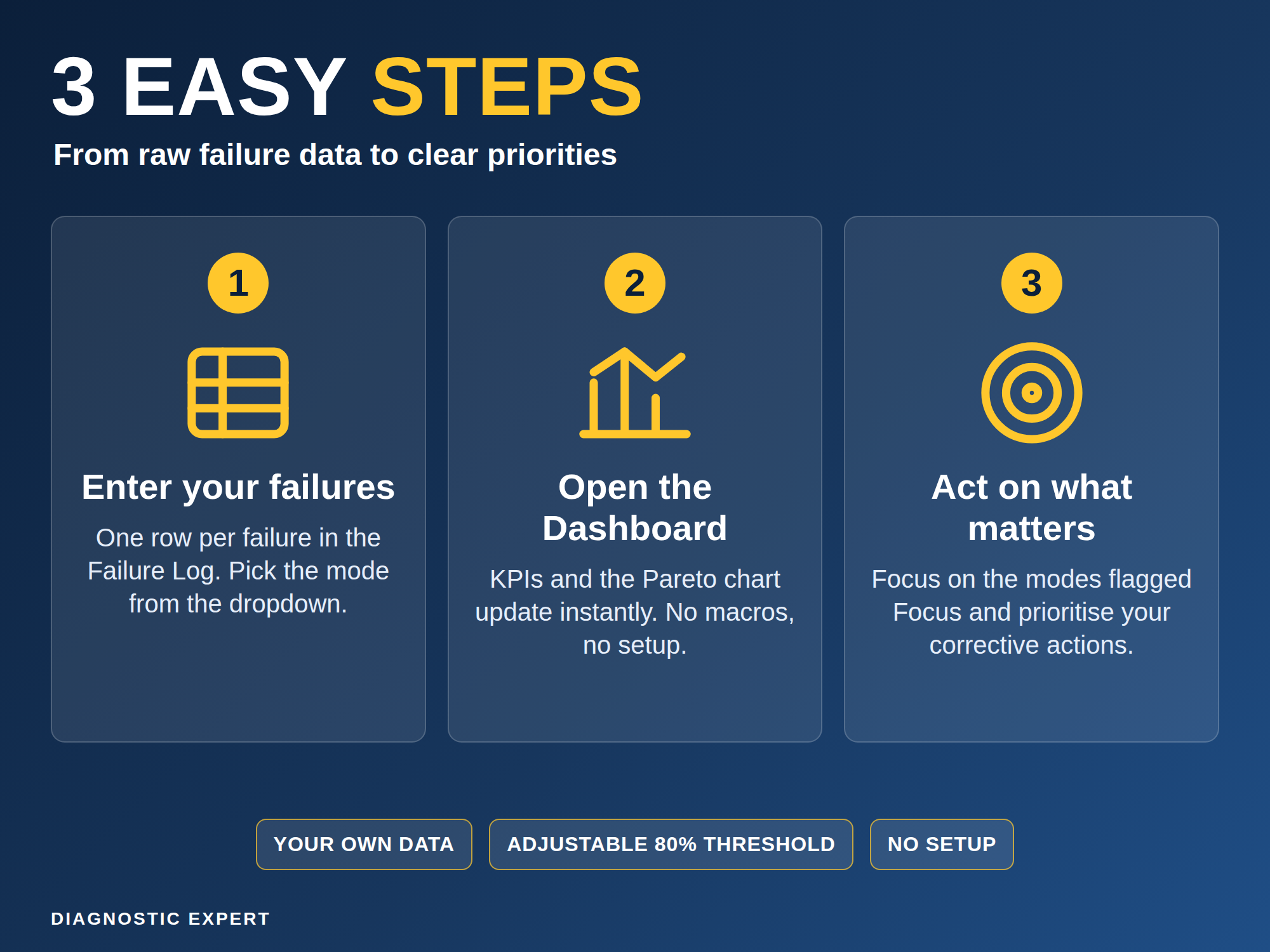
Failure modes can be ranked by occurrence count or by downtime hours. Each mode is flagged Focus or Monitor against an adjustable 80 percent threshold, and a dashboard summarizes the result with 4 KPIs and a chart.
What is inside
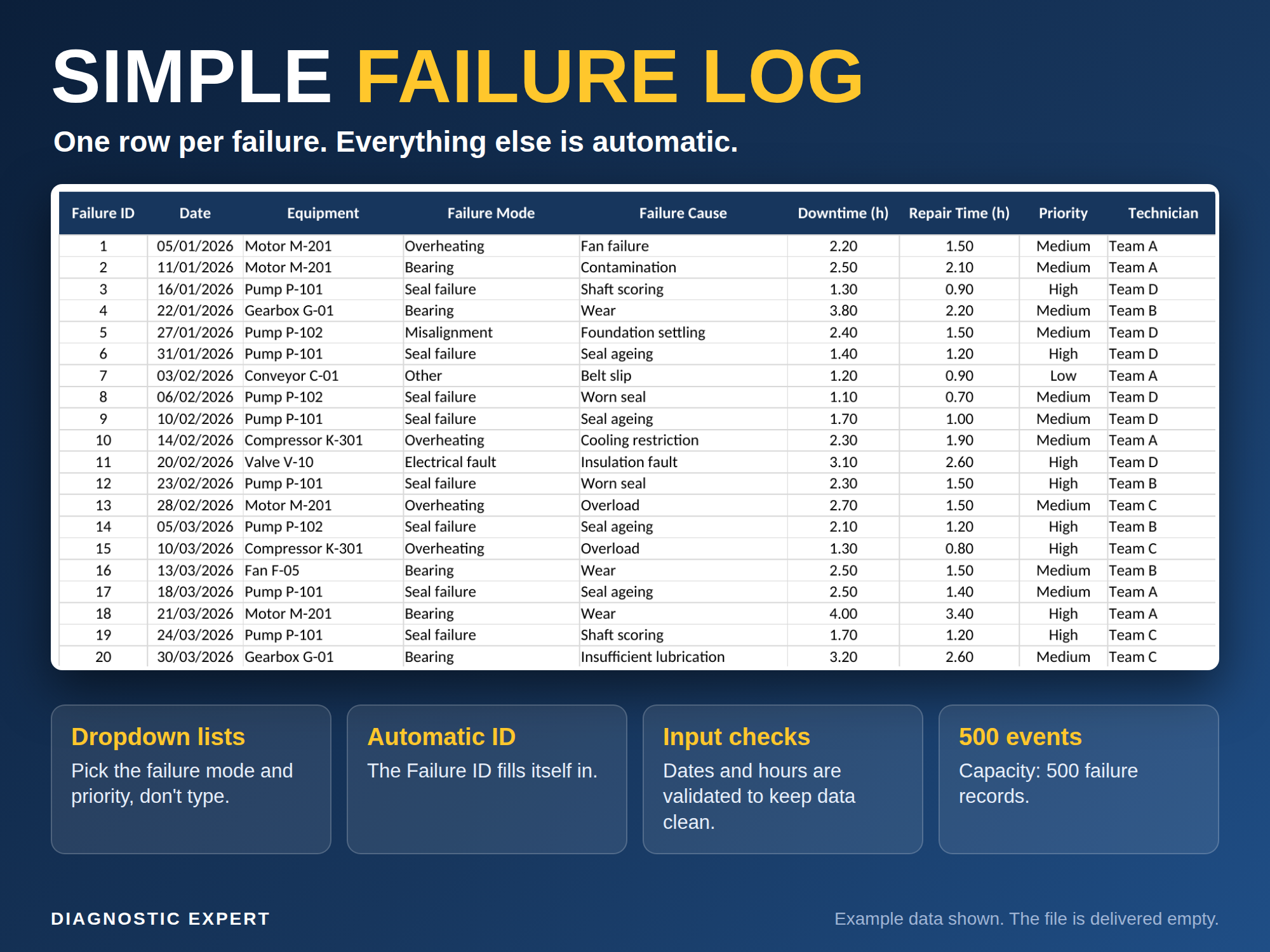
- Failure Log with up to 500 rows
- Self-sorting Pareto table with cumulative percentage
- Focus or Monitor flags on every failure mode
- Rank by occurrence count or by downtime hours
- Adjustable 80 percent threshold
- Dashboard with 4 KPIs and a chart
Screenshots

Who it is for
- Maintenance managers
- Reliability and maintenance engineers
- Technicians
- Maintenance planners
- Students
What is included
- The Maintenance Pareto Analysis workbook
- An EXAMPLE file
- A PDF guide
- A README file
- A license
Frequently asked questions
How does the Pareto table decide what to prioritize?
It sorts failure modes by occurrence count or downtime hours, calculates the cumulative percentage, and flags each mode Focus or Monitor against an adjustable 80 percent threshold.
Does it require Microsoft Excel?
Yes. It is an Excel workbook and opens in Microsoft Excel or compatible spreadsheet software.
Is example data included?
Yes. The download includes an EXAMPLE file so you can see how the Pareto table works before entering your own records.
Is this a subscription?
No. This is a one-time purchase with no recurring fee.